← Back to all guides
Security

WordPress Publishing Governance: Roles, Review Gates, and Audit Trails

7 min readUpdated Dec 2025
GovernanceSecurity

WordPress Publishing Governance: Roles, Review Gates, and Audit Trails

Publishing governance isn't about bureaucracy—it's about preventing costly mistakes while maintaining publishing velocity. When multiple people have access to your WordPress sites, clear governance rules protect content quality, brand reputation, and operational security.

WordPress Connection and Security

Secure WordPress connection setup with proper authentication and permissions

WordPress Role Architecture

WordPress ships with five default roles, but most organizations need a more nuanced permission structure. Understanding the built-in roles is the foundation for effective governance.
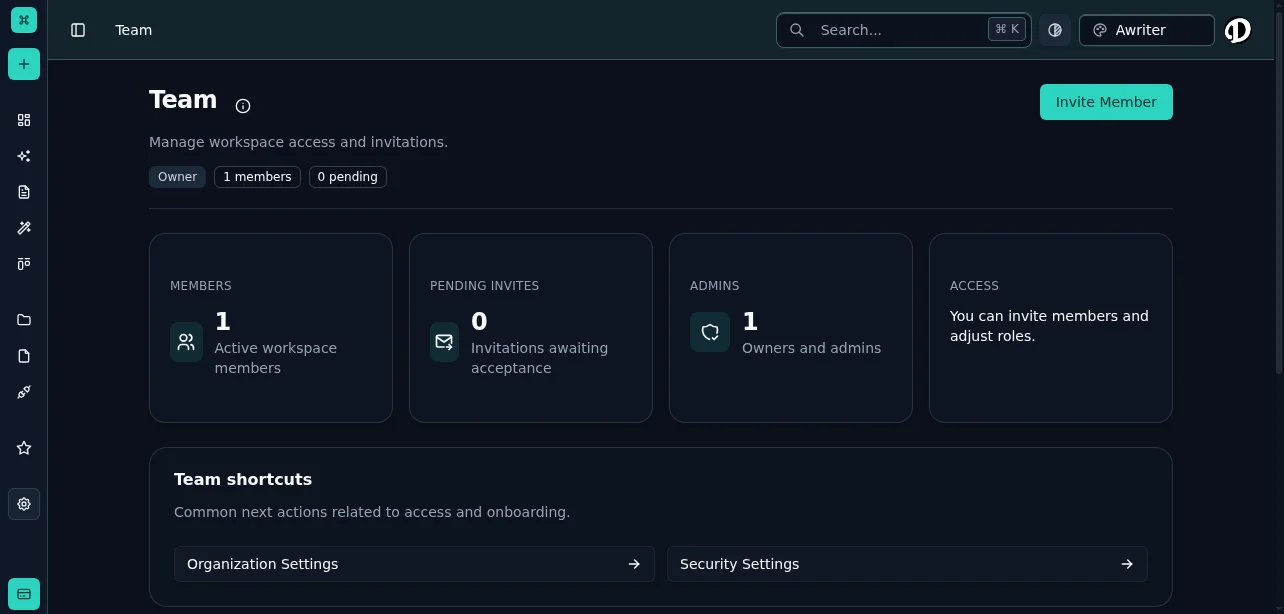
Settings - Team and Permissions

Configure team roles and permissions to match your governance requirements

Default WordPress Roles

Administrator
  • Full site access including plugin and theme management
  • User management and role assignment
  • Site settings and configuration
  • Should be limited to technical staff only
  • Editor
  • Publish and manage all posts and pages
  • Moderate comments
  • Manage categories and tags
  • Appropriate for content directors and senior editors
  • Author
  • Publish and manage their own posts
  • Upload media files
  • Cannot edit others' content
  • Good for trusted regular contributors
  • Contributor
  • Write and manage their own posts
  • Cannot publish without approval
  • Cannot upload media files
  • Suitable for guest writers and junior staff
  • Subscriber
  • Read-only access
  • Manage their own profile
  • Rarely used in content operations
  • Custom Role Strategy

    The default roles rarely match real-world needs. Most teams need custom roles that align with their workflow.
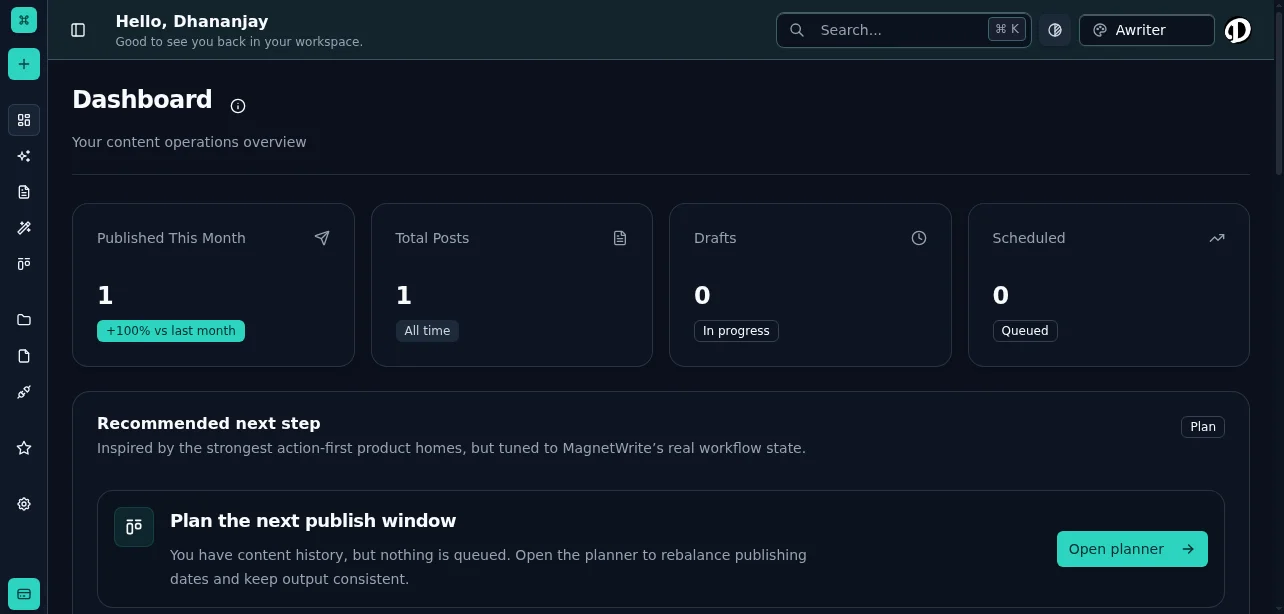
    Dashboard - Role-Based Access
    Dashboard - Role-Based Access

    Dashboard view adapts based on user roles and permissions

    Content Reviewer
  • Edit all posts but cannot publish
  • Useful for quality assurance roles
  • Prevents accidental publishing
  • Brand Manager
  • Publish within specific categories
  • Edit content in their domain
  • Cannot access site settings
  • SEO Specialist
  • Edit meta descriptions and titles
  • Manage redirects and structured data
  • Cannot modify post content
  • Publisher
  • Publish approved content
  • Cannot edit content substance
  • Handles production execution only
  • Create custom roles using plugins like Members, User Role Editor, or PublishPress Capabilities. Define roles based on what decisions people make, not just what tasks they perform.

    Permission Boundaries

    Effective governance requires clear boundaries around who can do what. These boundaries prevent both accidental damage and intentional misuse.

    Content Permissions

    Who can create content?

    Define which roles can create new posts, pages, and custom post types. Separate creation rights from publishing rights.

    Who can edit existing content?

    Decide whether editors can modify anyone's content or only their own. Consider whether published content should be locked from further editing without approval.

    Who can delete content?

    Deletion is often irreversible. Limit this capability to senior roles and consider requiring a review process for removing published content.

    Media Library Permissions

    Upload restrictions:
  • File type limitations (prevent executable uploads)
  • File size limits (prevent storage abuse)
  • Folder organization requirements
  • Naming conventions
  • Media editing:
  • Who can crop or modify uploaded images
  • Who can replace existing media files
  • Who can delete media (especially if used in published posts)
  • Taxonomy Management

    Categories and tags:
  • Who can create new categories
  • Who can modify category structure
  • Whether contributors can create tags freely
  • Uncontrolled taxonomy creation leads to organizational chaos. Limit taxonomy management to roles responsible for content architecture.

    Plugin and Theme Access

    Critical restriction:

    Only administrators should install, activate, or modify plugins and themes. These actions can compromise site security or break functionality.

    Developer access:

    If developers need access, create a separate role with plugin/theme permissions but without content editing rights. This separation prevents accidental content changes during technical work.

    Review Workflow Implementation

    Review gates ensure content meets quality standards before reaching your audience. The key is making review mandatory without creating bottlenecks.

    Single-Stage Review

    How it works:

    Contributor writes → Editor reviews and approves → Publisher executes

    When to use:
  • Standard blog posts
  • Established content types
  • Trusted writers with proven quality
  • WordPress implementation:
  • Contributors submit for review (draft status)
  • Editors receive notification
  • Editors approve by changing status to "Scheduled" or "Pending"
  • Publishers execute on schedule
  • Multi-Stage Review

    How it works:

    Writer drafts → Content editor reviews → Subject matter expert approves → Publisher executes

    When to use:
  • Technical or specialized content
  • Legal or compliance-sensitive topics
  • Brand-critical messaging
  • Executive thought leadership
  • WordPress implementation:

    Use custom post statuses (via plugins like PublishPress or Edit Flow):

  • Draft → In Review → SME Review → Approved → Scheduled → Published
  • Each status change triggers notifications to the next reviewer in the chain.

    Parallel Review

    How it works:

    Multiple reviewers evaluate simultaneously, all must approve before publishing.

    When to use:
  • Content requiring both editorial and legal review
  • Multi-brand content needing approval from each brand manager
  • Content with technical and marketing considerations
  • WordPress implementation:

    Use approval workflow plugins that support multiple approvers. Set rules for whether all approvers must sign off or if majority approval suffices.

    Audit Trail Requirements

    Audit trails answer critical questions: Who changed what, when, and why? Without this visibility, you can't diagnose problems or ensure accountability.

    What to Log

    Content changes:
  • Who created, edited, or deleted content
  • What changed (before/after comparison)
  • When the change occurred
  • Why (if a reason was provided)
  • Publishing actions:
  • Who published or unpublished content
  • Schedule changes
  • Status transitions
  • User actions:
  • Login attempts (successful and failed)
  • Role changes
  • Permission modifications
  • User creation and deletion
  • System changes:
  • Plugin installations, updates, and deletions
  • Theme changes
  • Settings modifications
  • Database changes
  • Audit Log Implementation

    WordPress doesn't include comprehensive audit logging by default. Implement it using dedicated plugins.

    Recommended plugins:
  • WP Activity Log: Comprehensive logging with detailed event tracking
  • Simple History: User-friendly interface with good filtering
  • Audit Log: Enterprise-grade logging with external storage options
  • Configuration requirements:
  • Log retention period (typically 90 days minimum)
  • Storage location (database or external service)
  • Access restrictions (who can view logs)
  • Alert rules for suspicious activity
  • Log Analysis and Monitoring

    Collecting logs is useless if no one reviews them. Establish monitoring practices.

    Daily checks:
  • Failed login attempts (potential security issues)
  • Unexpected user role changes
  • Content deletions
  • Plugin or theme modifications
  • Weekly reviews:
  • Publishing patterns and anomalies
  • User activity levels
  • Content change frequency
  • Permission usage patterns
  • Monthly audits:
  • Comprehensive review of all logged events
  • User access review (remove inactive users)
  • Permission audit (ensure roles match current responsibilities)
  • Compliance reporting (if required)
  • Security Best Practices

    Governance and security are inseparable. Weak security undermines even the best governance policies.

    Authentication Requirements

    Strong password policy:
  • Minimum length (12+ characters)
  • Complexity requirements
  • Regular password rotation
  • No password reuse
  • Two-factor authentication:

    Require 2FA for all users with publishing rights or higher. Use plugins like Two Factor Authentication or Wordfence.

    Session management:
  • Automatic logout after inactivity
  • Single session per user (prevent credential sharing)
  • Secure session tokens
  • Access Control

    Principle of least privilege:

    Give users the minimum permissions needed for their role. It's easier to grant additional access than to recover from excessive permissions.

    Regular access reviews:
  • Quarterly review of all user accounts
  • Remove inactive users immediately
  • Adjust permissions when roles change
  • Audit administrator access monthly
  • IP restrictions:

    For sensitive roles (administrators, publishers), consider restricting access to specific IP addresses or VPN connections.

    Content Security

    Prevent unauthorized changes:
  • Lock published content from editing without approval
  • Require review for changes to high-traffic pages
  • Protect critical pages (legal, privacy policy) with additional restrictions
  • Backup and recovery:
  • Automated daily backups
  • Off-site backup storage
  • Tested recovery procedures
  • Version history for content rollback
  • Compliance and Documentation

    Governance policies only work if people know they exist and understand how to follow them.

    Policy Documentation

    Create written policies covering:
  • Role definitions and responsibilities
  • Permission boundaries and restrictions
  • Review workflow procedures
  • Publishing approval requirements
  • Security requirements
  • Audit and monitoring practices
  • Incident response procedures
  • Make policies accessible:
  • Store in a shared location all team members can access
  • Include in onboarding materials
  • Review and update quarterly
  • Version control policy documents
  • Training Requirements

    Onboarding training:

    Every new team member should complete governance training before receiving WordPress access.

    Training topics:
  • WordPress role and permission structure
  • Review workflow procedures
  • Security requirements (passwords, 2FA, session management)
  • Content approval process
  • Audit trail awareness
  • Incident reporting
  • Ongoing training:
  • Quarterly refreshers on governance policies
  • Updates when policies change
  • Security awareness training
  • Case studies of governance failures and lessons learned
  • Compliance Reporting

    If your organization has compliance requirements (GDPR, HIPAA, SOC 2), your governance system must support compliance reporting.

    Reportable events:
  • User access grants and revocations
  • Content changes to compliance-sensitive pages
  • Security incidents and responses
  • Policy violations and remediation
  • Audit log reviews and findings
  • Automate compliance reporting where possible. Manual reporting is error-prone and time-consuming.

    Governance Enforcement

    Policies without enforcement are suggestions. Build enforcement into your systems and processes.

    Technical Enforcement

    Use WordPress capabilities:
  • Remove unnecessary capabilities from roles
  • Disable file editing in wp-config.php
  • Restrict plugin and theme installation
  • Enforce strong passwords programmatically
  • Automated checks:
  • Alert on policy violations (e.g., publishing without review)
  • Block actions that violate governance rules
  • Require approval workflows for sensitive actions
  • Validate content against quality standards before publishing
  • Process Enforcement

    Review gates:

    Make review workflows mandatory, not optional. Content cannot advance without proper approval.

    Audit reviews:

    Regularly review audit logs and address violations immediately. If violations have no consequences, governance fails.

    Access reviews:

    Quarterly access reviews should result in permission adjustments. If everyone keeps all their permissions forever, you're not actually governing.

    Common Governance Failures

    The Administrator Proliferation

    Problem: Too many users have administrator access because it's easier than configuring proper roles. Impact: Security risk, accidental site damage, no accountability. Solution: Audit administrator access immediately. Create custom roles that provide needed permissions without full admin rights. Limit administrators to 2-3 technical staff.

    The Approval Bypass

    Problem: Review workflows exist but people publish directly to avoid delays. Impact: Quality issues reach production, governance policies become meaningless. Solution: Remove publishing permissions from roles that should go through review. Make the workflow technically enforced, not policy-based.

    The Audit Log Nobody Reads

    Problem: Comprehensive logging is configured but no one monitors it. Impact: Security incidents and policy violations go undetected. Solution: Assign specific responsibility for log monitoring. Create automated alerts for critical events. Include log review in regular operational procedures.

    The Stale User Problem

    Problem: User accounts remain active long after people leave the organization or change roles. Impact: Security risk, compliance violations, unclear accountability. Solution: Implement automated user access reviews. Disable accounts immediately when people leave. Require quarterly certification that all active users still need their access.

    Implementation Checklist

    Phase 1: Assessment
  • Document current roles and permissions
  • Identify governance gaps and risks
  • Review existing policies and procedures
  • Assess current audit capabilities
  • Phase 2: Design
  • Define custom roles aligned with workflow
  • Design review workflows
  • Establish audit requirements
  • Create security policies
  • Phase 3: Implementation
  • Configure custom roles and permissions
  • Install and configure audit logging
  • Implement review workflow tools
  • Deploy security controls (2FA, password policy)
  • Phase 4: Documentation and Training
  • Write governance policies
  • Create training materials
  • Conduct team training
  • Establish monitoring procedures
  • Phase 5: Enforcement and Monitoring
  • Begin regular audit log reviews
  • Conduct access reviews
  • Monitor compliance
  • Refine policies based on experience
  • WordPress publishing governance isn't a one-time project—it's an ongoing practice. Start with the basics, enforce consistently, and improve based on what you learn.